I previously maintained a Medium account to access blogs and guides from other writers. While I shared occasional posts, I ultimately found it challenging to define my niche and chose to deactivate the account. Below are archived copies of my past Medium articles, preserved here for transparency and reflection.
-A
The Basics —HTML, CSS, JS, and GITs
In this reflection, there are a lot of things which both went well and didn’t went well. As instructed by the course modules, I have followed every steps from the modules and allowed myself to learn if certain things will work. Such as, using Ubuntu to commit, clone, push and run my code safely. I think I wasn’t so familiar with Ubuntu which is the reason why I have made several duplicates of files and repository by accident. It took me several trials to experiment with Ubuntu terminal until I get familiarize with each command and the purpose of Ubuntu. Thus, with the help of other resources from open-source online learning and articles on how to use Ubuntu, I am able to navigate my way around and tackle the main goal. In regards of coding, I can learn HTML and cascading quicker and be familiar with building basic webpage. From my experience with building basic games using JS during my spare time, I can apply certain basic knowledge to make the website interactive.
There are a lot of things that could have been improved with my experience with building a portfolio website. Including being able to insert a mini game within the website, being able to use Ubuntu to push specific files without any complications and being able to add more additional responsive features. By that, there are many keys take a way that I’ve learned from this experience.
The main key takes a way of this experience is being able to build a basic portfolio website which will enable me to show-case my skills and the background that I already have within specific skillset. Another thing that I have considered is being able to build your own website for fun.
I have tried a lot of procedures from several sites. However, these are the websites and resources I have visited the most. Course modules from canvas, w3schools, free code camp, code academy, stack overflow. I have followed the steps from course modules within canvas to set up my local environment and to set up my terminal. With Ubuntu, I have gathered information and knowledge from different kind of resources across the web to get more familiarize with the terminal. With building the website and GitHub, I followed the steps from course modules, and the sources that I have listed on my GitHub repo.
Html, CSS, and JS
In this reflection, there are a lot of things which both went well and didn’t went well. As instructed by the course modules, I have followed every step from the modules and allowed myself to learn. I was able to get familiarize with JS and its attributes and forms and what it does to the code. With creating the application, since I’m more familiarize with CSS and HTML, I have allowed myself to put more work on these languages as it’s easier and quicker for me. As for JS, I had tried several codes, made small and big adjustment whether if it’s going to give me error on console or any signs that the console is working. The main scope of JS I had focused on was fetching public API, API with authentication keys, geolocation API and movement scroll.
There are a lot of things that could have been improved with my experience with building a single page application. Including mastering how to write a clean, well-written JS code, insert a mini game within the page, and understanding more of JS functions. By that, there are many keys take a ways that I’ve learned from this experience.
The main key takes a way of this experience is being able to build a single page application which will enable me to show-case my skills, understand more of JS, JSON functions and the background that I already have within specific skillset. I have tried my best to write a clean JS code without the terminal giving me a problem error, but I’m not so familiar with using HTML and CSS within JS. So, I decided to skip that part and find alternatives to make the page. I’d like my code to be readable and cleaner so I made my JS short and inserted few JS codes that will show data on the console. I made quite some few changes and tried multiple runs.
I have tried a lot of procedures from several sites. However, these are the websites and resources I have visited the most. Course modules from canvas, w3schools, free code camp, code academy, stack overflow. At first, I have gathered tips from canvas and Frae on how should I complete the project. First, I have map out on how the app should look like, then added the rest of the code. I have followed the steps from course modules within canvas to understand and practice my JS skills and to apply this knowledge to practice. With JSON, I have gathered information and knowledge from different kind of resources across the web to get more familiarize and understand the use of JSON but wasn’t quite so sure if I need JSON to be inserted with the SPA. With building the SPA, I have applied my CSS, HTML, and JS knowledge to the code. At the end, I resubmitted my work, made everything simpler, minimal, cleaner, readable and short.
JavaScript and React Self Reflection
In this reflection, there are a lot of things which both went well and didn’t went well. As instructed by the course modules, I have followed some steps from the modules and allowed myself to have some time to learn while also working. I was able to get familiarize with JS, react language and it’s attributes and forms and what it does to the code, however there are a lot of things that still should be improve. With creating the application, being more familiar with CSS and HTML, it’s an absolute challenge for me to finish this project within a short amount of time while juggling with work and other commitments. I allowed my body to adjust in order to finish this project and also ask some advice and guide from my mentor. With the project itself, the main goal is to create a dynamic react app which fetches api from the server.
There’s a large amount of things which could have been improved with my experience with building a dynamic react application. Including mastering how to write a clean, well-written react and js code, and understanding more of things which make the app cooler and usable. By that, there are many key take a ways that I’ve learned from this experience.
The main key take a way of this experience is being able to create and build a dynamic react web application which will enable me to broaden my knowledge , skills and experience with several languages other than just css and html. I have tried my best to finish my dynamic react project while juggling with work and also tried my best for my code to be readable and clean as possible. I have not added a lot of features on it but kept the ones which will be useful for the web app.
With processing of making a dynamic web app, I have followed several methods from the internet and methods from the modules. There are a large numbers of sites, such as Mozilla developer tools, and other open source developer documents which offers guide and information. The first method that I have done was probably just follow the requirement on the course modules assessments but I asked my mentor if is there any good alternative method. Such as using the previous files from the previous project and just gave it a little bit of a change in order to be written in react. I didn’t thought about making a plan nor ideas for my dynamic react but would rather just finish it on time with dynamic features on it. Before finishing the dynamic react app, I have made multiple amount test files and folders to see which ones are working and which ones are good without changing anything nor touching the main dynamic react folder. With the final result of my dynamic react project, I kept the dynamic react as minimal, black and splash some awesome gradient colors on it.
JavaScript
In this reflection, I have improved my Javascript project. I think my front end skills was not the best but not the worst. I think what went well was being able to build a front end web which fetches api, as well as being able to understand everything in depth. There are a lot of things that could be improved. I think I’m still learning and improving because my Javascript wasn’t the best after all. It’s pretty simple and yet it gives information about the weather to the user. So far, I think the only thing that’s missing is creating a full functioning web app by the knowledge that was taught by my mentor and the ones that I have learned from several resources. The main key take a ways is being able to apply my knowledge by building a js web app which fetches api data. As well as being able to understand how the code and web app works. With building the weather app, I have used a template from bootswatch then added the rest of the functions. I have tried copy and pasting several codes that I have followed from several tutorials, then changing it a bit in order for it to work according to the app that I’m trying to build.
Ruby On Rails
How I made my ruby command line interface
I will be using this platform to explain how I made my command line interface using Ruby language.
- First launch and open the Visual Studio Code. Within the VSC, open terminal.
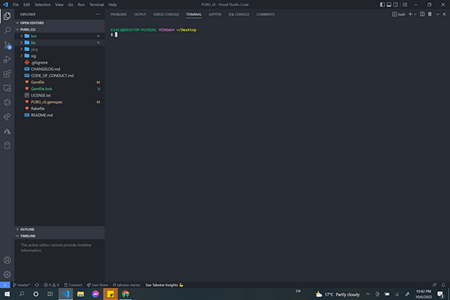
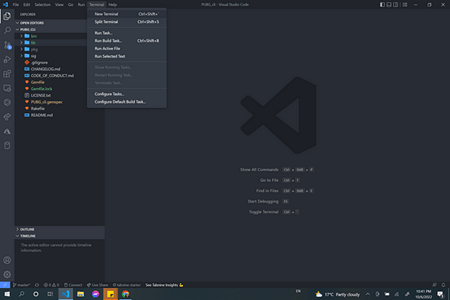
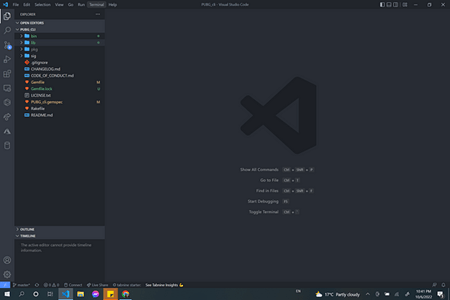
- Type Bundle Gem foldername_cli or folder name
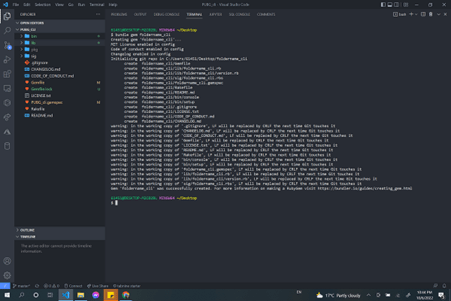
- Locate the folder
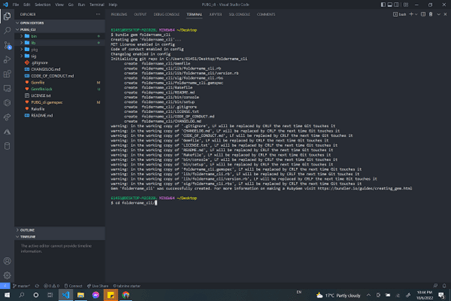
- Type code within the terminal to open another window of VSC
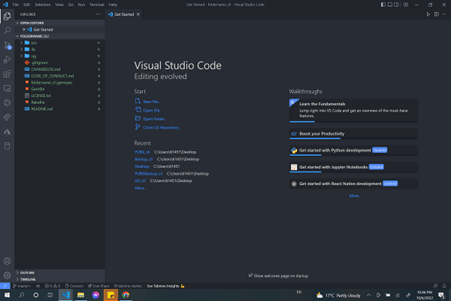
- Bin folder will not contain run, so we must create it.
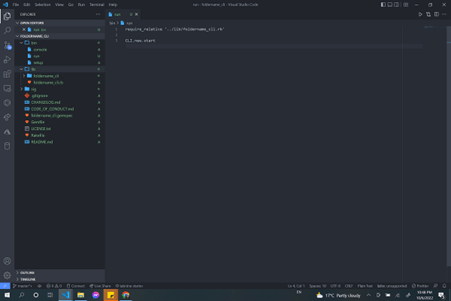
- What’s require_relative? Why do I need it? Require relative is just an indication of a path which is relative to my current working directory. I need it for my files to communicate to one another. (That’s how I understand it)
- Then below require_relative…
- Type CLI.new.start
- I used it to run ruby bin/run. CLI because I will be using a command line interface to start the project.
- Close everything. Minimize everything. Go to Gemfile.
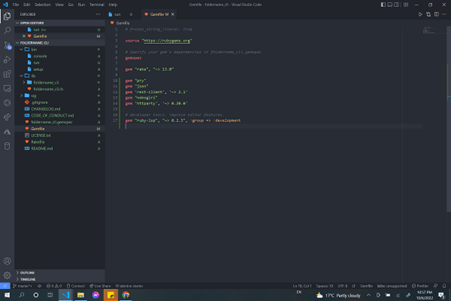
- PRY: I used pry because I will be entering and using binding.pry. I used binding.pry because it allows me to test variables, return arrays, return data from the api and values. Simplified: Pry is extremely useful for me to use, and I would think of it as a helper.
- Also,
- JSON: I used Json gems because I will be parsing Json from a data sent from the api I am using.
- REST-CLIENT: I used it because I will be using REST method to call for an api.
- NOKOGIRI: It’s similar with JSON but better. I used it for an easy read if I fetch data from an API.
- HTTPARTY: I need it for calling an api faster.
- RUBY-LSP: I used it for better editor features. A helper for building the app.
- After everything has been inserted within the gem file.
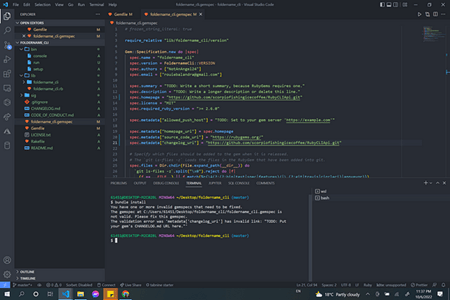
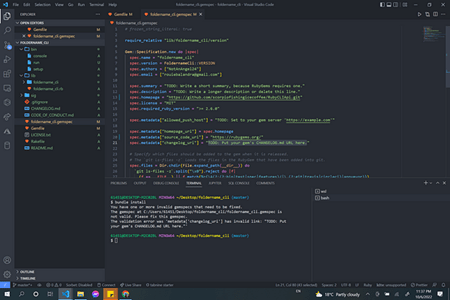
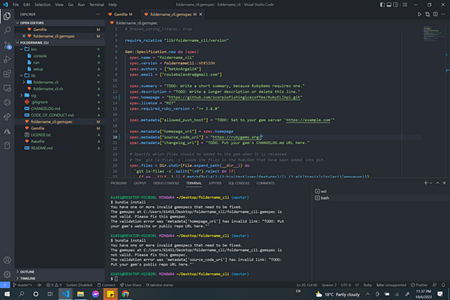
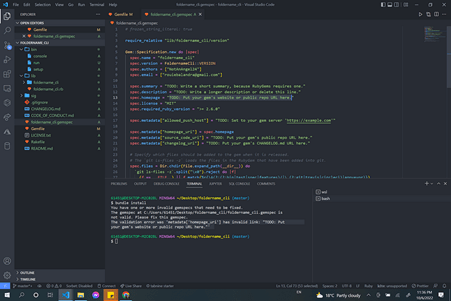
- Open the terminal and type bundler or bundle install.
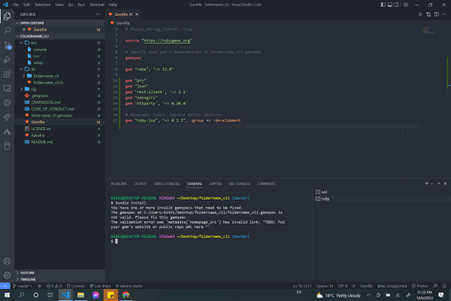
- To fix this problem.
- Go to the gem spec.
- It’s saying on the error:
- The validation error was ‘metadata[‘homepage Uri’] has invalid link: “TODO: Put
your gem’s website or public repo URL here.”’ - I kept typing bundle install every time I made changes on my gem spec. It will show the error problems until it’s fixed. Then, it will install the gems once everything seems to be fine.
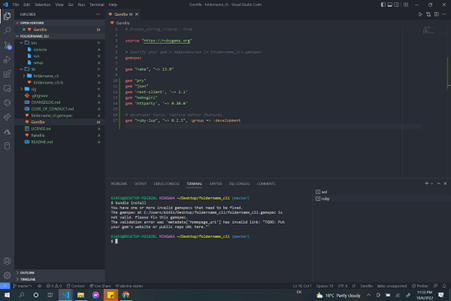
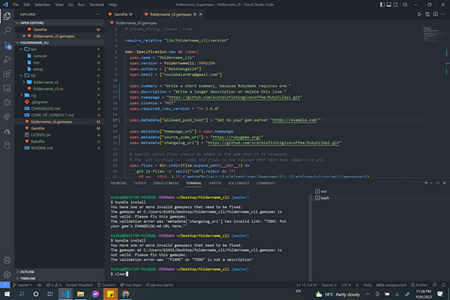
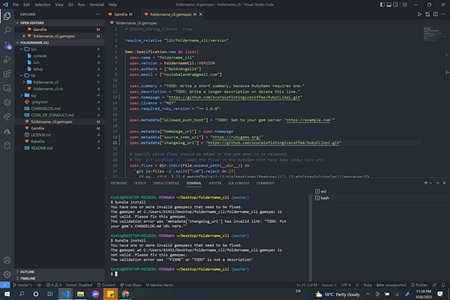
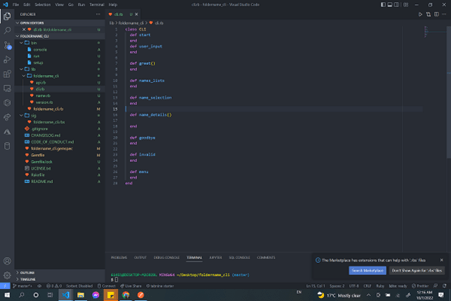
- Closed everything and minimized everything.
- Checked the lib folder.
- Then open the foldername_cli file within lib folder. The foldername_cli will be like the equivalent to the route.rb which was within the config folder in rails.
- Closed everything again and minimized everything. So, there’s not a lot of things happening and it’s not confusing.
- Open the lib folder then open the sub folder within the foldername_cli. I saved my cli, api and a file(I’ll name it name)that sends values when fetched from the data in this folder. But I must create classes for each of these ruby files.
- I wanted to create my CLI first, the rest can wait.
- Explanation: In based of how I understand everything.
- Explanation: I wrote the code in according to how things should flow if I were the user who’s going to access my cli.
- Like def start, greets the user, user input, then so on.
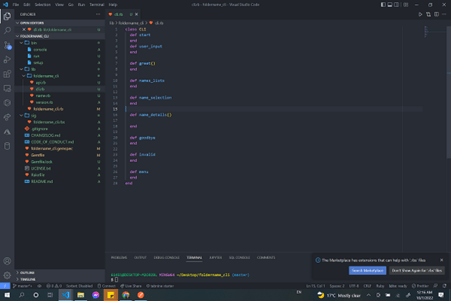
- The response I want to get was coming from an array which looks like [] , so I must parse the JSON.
Resources
- Useful resources to learn how to code in Ruby
Log In
Edit descriptionacademyxi.instructure.com
Self-reflection on learning Ruby on Rails and Ruby
In this reflection, I have learned Ruby and how to use it. I have learned how CLI or command line works and understand back-end programming more in depth. I have learned a lot of concepts and resources helped me a lot with improving my skills. I have learned basic Ruby commands and methods which are incredibly useful.
There are a lot of things that could be improved. I think I’m still learning and improving because my Ruby skills wasn’t the best after all. It’s simple and yet it gives information about games, except it’s an array and not exactly what you see from the front-end. So far, I think the only thing that’s missing is creating a full functioning web app by the knowledge that was taught by my mentor, peers, and the ones that I have learned by myself.
The key take ways are being able to build a command line and understand how the back-end works for the user to have an accurate functioning app. I think having this knowledge are important because it allows us to communicate more clearly with the computers, technologies and people.
With building the Ruby CLI, I have followed a step from Ruby website in regards of installation guides and other tips. I have a coursetiy account and I have followed other walkthrough and several tutorials in regards of building a Ruby CLI from courseity. It really helped me. But I spent more time with the resources I have attached in my GitHub Repo. It did help me a lot.
Blog for making the react front end and rails API back end — First full stack project-mark 1
I honestly don’t know what to write here. I’m tired.
It took me some time to understand and build this app that is made from React as a front end and Ruby on Rails as the back end.
The main key takeaways are:
- To be able to build an integrated App which uses React and Rails.
- To be able to understand React and Rails and depth.
- Time is everything. Don’t leave everything in a last minute.
- To make sure to handle the errors.
- To read! Read! Read! Try to understand those JavaScript codes and it’s use. READ THE LATEST DOCUMENTS AND ARTICLES.
- To make sure to know the versions of the App that I am using! I kept writing the old code within the React app with the React Dom V6 and kept wondering why it’s not working 🤔. Cause it’s OUTDATED!
- To kept TESTING EVERYTHING.
- To keep learning and expand that knowledge even though things doesn’t make sense at first. Take a first step and write those codes.
- To keep practicing and improve. Even if it’s just a simple html and js or html with CSS.
- To ask for help! Instructor, Slack, Reddit, LinkedIn or from Bill Gates! Cause JAVASCRIPT IS CONFUSING AS “I’M THINKING OF ENDING THINGS” MOVIE. ESPECIALLY WITH THIER NEW UPDATES!
Anyhow, the links that helped me a lot that are accessible to publics are below.
Setting up the react front end and rails API backend:
https://blog.devgenius.io/creating-your-full-stack-application-rails-api-and-react-7155026e453a
https://github.com/learn-co-curriculum/phase-4-mini-project-crud
Not really part of the project: Just a guide:
Part of the project: Devise token Auth Gem:
Installation
Edit descriptiondevise-token-auth.gitbook.io
Just a guide:
https://devcenter.heroku.com/articles/heroku-cli
Part of the project: I tried this method also for me to get started with setting up rails api and react front end.
Documentation: Since the React Router Dom was updated.
For CSS and styling and Ui:
Pens tagged ‘cyberpunk’ on CodePen
Edit descriptioncodepen.io
FOR DEPLOYING THE APP: but didn’t work cause of the Heroku’s update into paid plans
ADDITIONAL GUIDE:
 ICWIB
ICWIB 